Install node and npm using Linux binaries
Let's look at how we can install latest version of nodejs in our linux system using Binary Packages.

Yes, you can install node through apt package manager with the command sudo apt install nodejs and you get the latest nodejs installed. But many people find it very complicated to install Binaries. So, I will be breaking down the process into four simple steps. (Note: I'm using pop os and will be installing node v14.17.3).
Let's start:
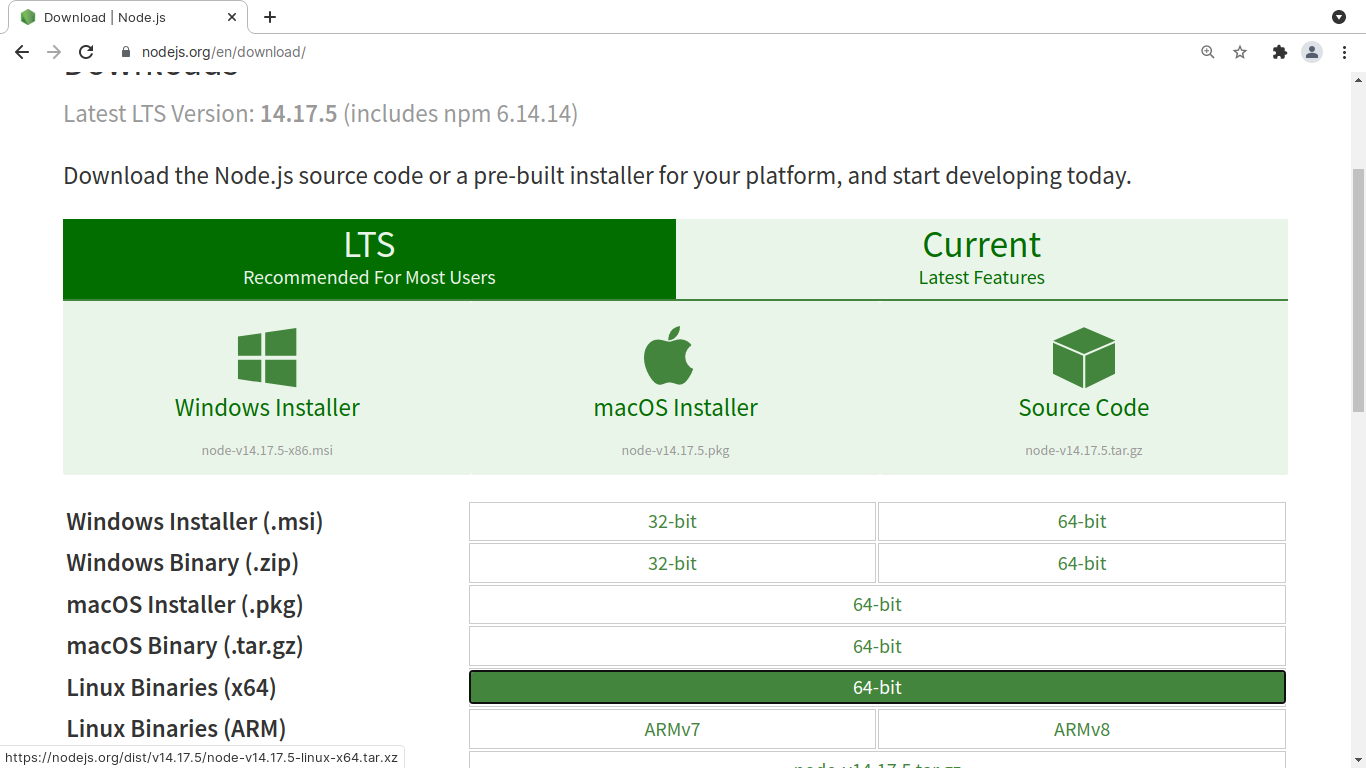
1. Get the binary file
So head to nodejs website and download binary files of latest stable nodejs.
2. Extract the tar file
Go to the directory where you've downloaded your nodejs. In my case its Downloads directory.
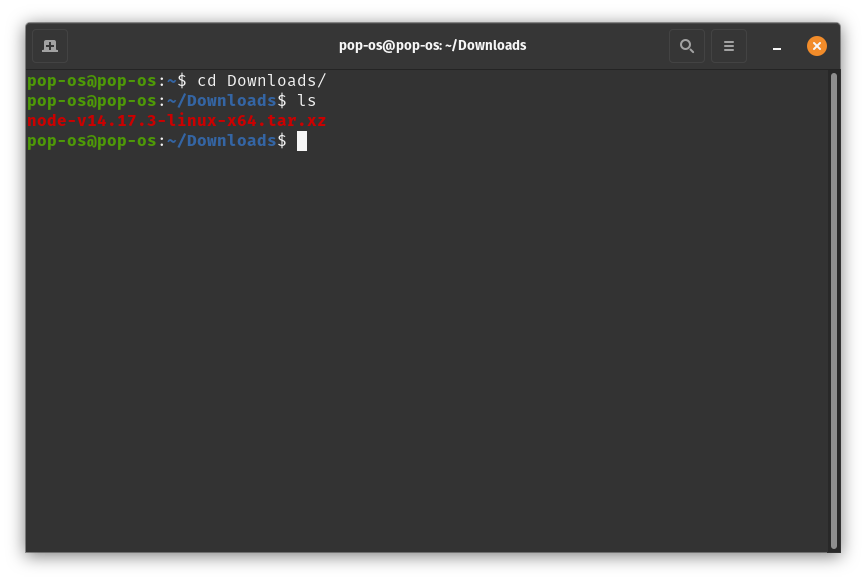
Then, extract the files with this command tar -xf "*your_downloaded_file*"
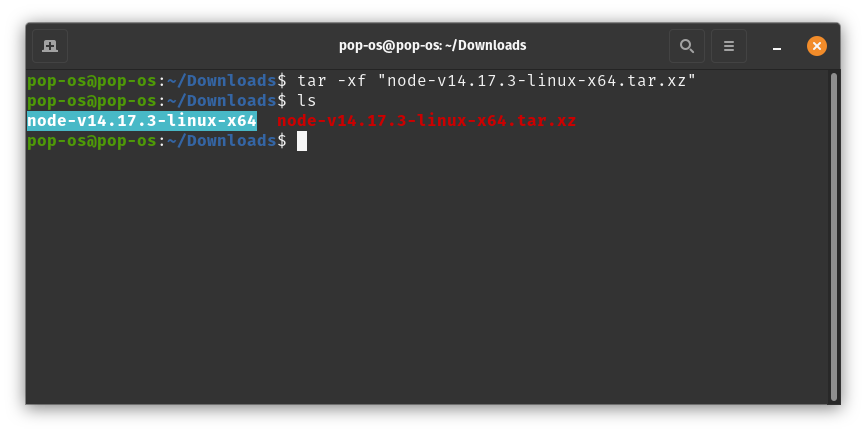
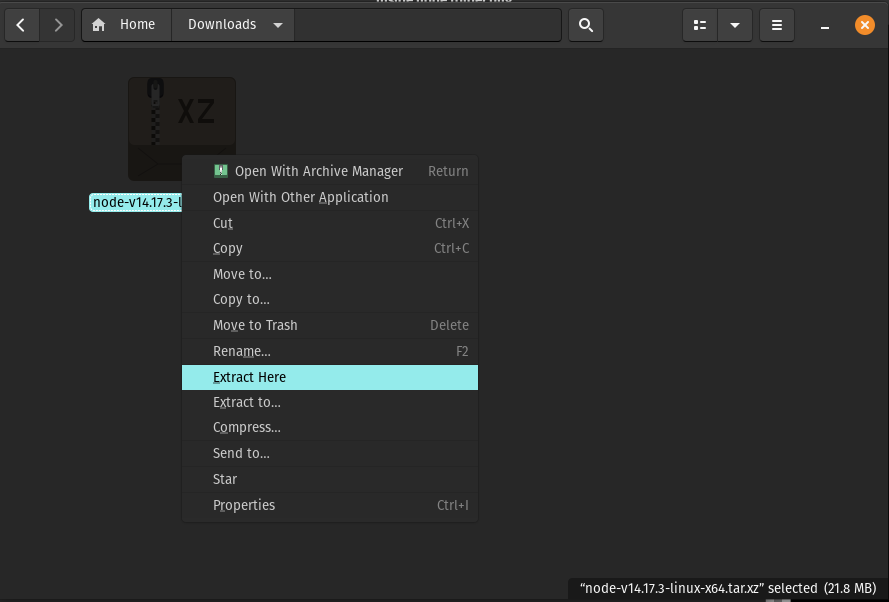
Or, go to Downloads folder using file manager, right click on tar file and extract (so simple).
3. Copy folders to /usr
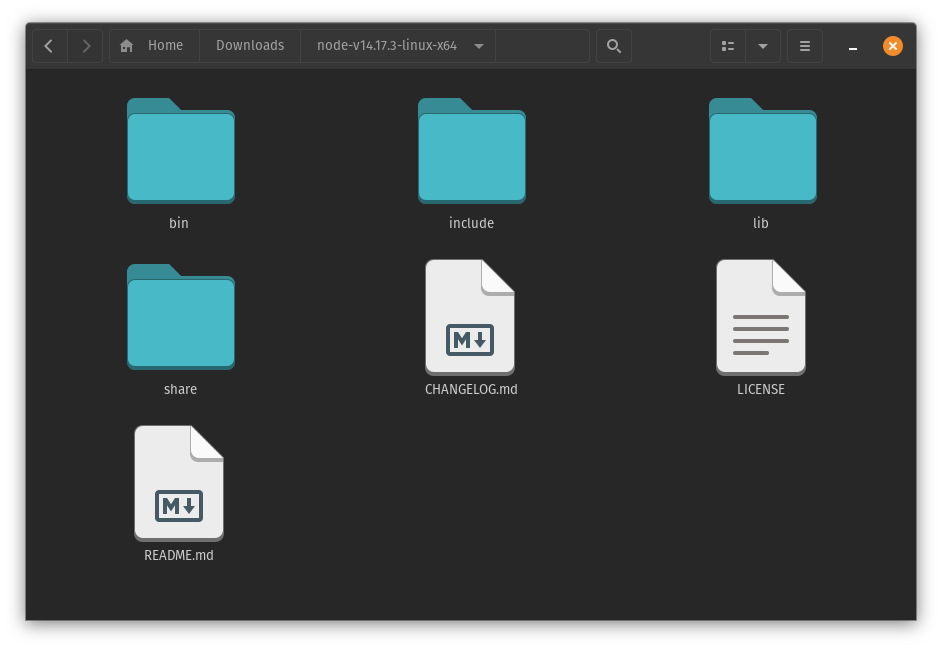
Now we get these all folders inside our extracted node folder.
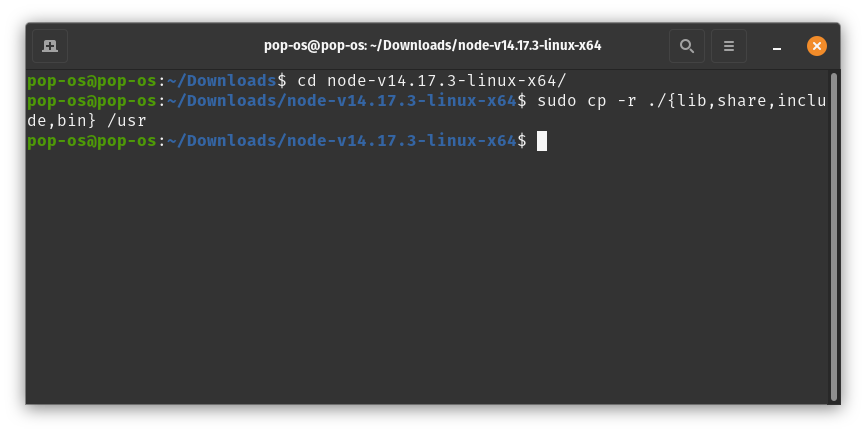
Here we need to cd inside that folder. Type the command sudo cp -r ./{lib,share,include,bin} /usr hit enter and type your password. Remember to use -r flag to make sure that all files inside those folders are also copied.
4. Check the node and npm version
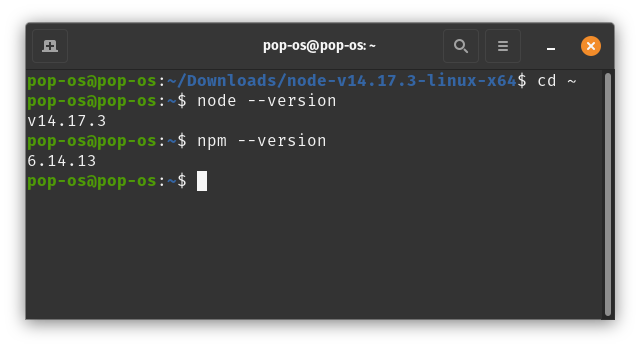
You can check nodejs version with the command node --version or node -v and check npm version withnpm --version.
That's it, you have now installed nodejs and npm in your system. Enjoy 😎
About the author
I am a developer from Nepal who loves playing with tech.
Comments
Join the discussionNo comments yet. Be the first to comment.